
TP-Link AV500 Powerline WiFi Extender with 2 LAN ports 3 units pack
by TP-Link
£84.97
TP-Link AV500 Powerline WiFi Extender with 2 LAN ports 3 units pack
GTIN06935364032548
EAN6935364032548
MPNTL-WPA4220TKIT
Prices updated 8 Apr 2026
Compare 1 Retailer
Laptops Direct
BEST PRICEIn stock£6.95 delivery
Amazon
Check live price on Amazon.co.uk
eBay
Check availability and price on eBay.co.uk
Product Description
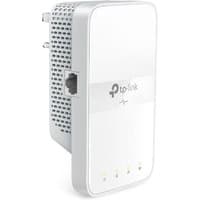
What This Product DoesTP-LINK's TL-WPA4220T KIT extends your Internet connection to every room of the house through your home's existing electrical circuitry. The TL-WPA4220 features a Wi-Fi Clone Button enabling Super Range Extension which means it can automatically copy the SSID and Password of your router. In this way TL-WPA4220T KIT simplifies your Wi-Fi configuration and allows for seamless roaming within your home network. One Touch Super Range ExtensionWith a Wi-Fi Clone Button enabling Super Range Extension the TL-WPA4220 can automatically copy the wireless network name (SSID) and Password of your router at the push of a button. After pressing the button you can place the powerline adapter anywhere you want wired or wireless access and enjoy seamless networking across your entire home or office . Up to 500Mbps - Ideal for HD Video StreamingWith advanced HomePlug AV technology TL-WPA4220T KIT provides you with stable high-speed data transfer rates of up to 500Mbps on a line length of up to 300 meters. It is a great choice for a whole home solution to connect all network compatible devices - from computers game consoles to set-top boxes for IPTV to printers and NAS hard drives. Extend Wi-Fi Coverage to Every RoomWith wireless speeds of up to 300Mbps you can effortlessly extend your Wi-Fi network via the existing powerline and broadcast a wireless signal to share with all your Wi-Fi enabled devices in another area of your home or office. Plug and PlayYou can set up a hassle-free Powerline network within minutes with TP-LINK's powerline adapters just plug in and play. Also the adapters' "Pair" buttons can be utilized for securing or managing multiple powerline adapters in your home powerline network.1. Plug one Internet connected adapter into a nearby power outlet.. 2. Connect additional adapters to PCs/laptops/Internet TVs or other networked devices via an Ethernet cable or Wi-Fi - and you're done!. *Recommended Press the pair buttons for network security and data encryption
More products from Laptops Direct
Browse their full range on Yorkshire.com
Related Products
Browse all Power Over Ethernet Adapters


From£84.97Laptops Direct
Buy Now