Browse

DataVideo iCAST mini HDMI
by DataVideo
£1738.88from 3 retailers
GTIN00672255009604
EAN0672255009604
MPNICAST-MINI
Prices updated 9 Jul 2026
Compare 3 Retailers
Save up to £208.12 by comparingPrices checked 8h ago

In stockStandard delivery in 3 working days
1 deal available£1738.88
Best Price
In stockStandard delivery in 3 working daysNew

In stockNext DayNew
Amazon
Check live price on Amazon.co.uk
eBay
Check availability and price on eBay.co.uk. Yorkshire.com may be paid for purchases made through this link, by eBay Partner Network.
Can’t find it elsewhere?
Product Description
Improve the Quality of Your Online Presentations!Datavideo's iCAST mini is a multimedia device designed for single-operator applications.From small scale corporate training sessions to mid-sized hybrid classrooms or conference halls. the iCAST mini is the perfect fit for your online presentation needs. With the one-button-one-function feature on a unique and easy to use touch panel control. even novice users will be able to operate this device.You don't need to learn complicated technologies about video production or hire a professional production team. You can take control of your own presentations with the iCAST mini. Simply connect the power and the video sources. then leave the rest to the iCAST mini.One USB Type C Cable to Merge Online and Offline TeachingThe most used platforms for hybrid classrooms are ZOOM. Microsoft Teams. and Google Meet.Without changing the current classroom setting. the iCAST mini can deliver video and audio to any video conferencing platforms via the UVC interface with a USB type C cable. You don't need to install drivers or perform any configuration.Graphical User Interface on Touch PanelAn intuitive graphical user interface on a 7-inch touch panel with an anti-fingerprint protection provides you with a clear view from any angle.Videos and PIP ModeSwitch rapidly between your presentation and the camera input or overlay a PIP window on the program video. You can also swap between the program out video and the PIP image. thereby enhancing the quality of your presentation.Images for Key Icons for Easier IdentificationUsing a real image as your key icon allows you to easily identify the camera view that is saved in the key. You can capture camera images and save them as thumbnails which are in turn applied to icons of shortcut keys on the Home screen. simply pressing the thumbnail will send the PTZ camera to the pre-saved position.Graphic Icons for Keys to Simplify WorkflowIn addition to image keys. you can use the device's built-in graphical. Icons for better identification. We've pre-loaded hundreds of these icons on the device for intuitive operation.Image Key + Graphic KeyGraphical icons can co-exist with the image icons. They not only simplify your workflow but make operation faster and easier.Direct Access to Auto Tracking FeaturesGain immediate access to the auto tracking feature using a range of external controllers.Beyond traditional camera controls. activating auto tracking on SHOWCAST 100 is also straightforward and convenient.Smart PTZ Speed AdaptationThe integrated PID algorithm is able to detect the movement speed of the identified object and automatically adjust the camera's corresponding pan. tilt and zoom speeds in such a way that the lens movement will be smooth. avoiding common camera lens movement problems like jerky movements or unpredicted halts.Talent Position: Center / Left Side / Right SideThe positioning of talent depends on the videographer’s creativity and intent rather than strict rules. Different positions can convey various emotions. messages. or visual effects. A centered composition provides a sense of stability and balance. suitable for scenes that require highlighting the main subject. Videographers may also place the talent on the left third or right third of the frame. leaving adequate space in the foreground to showcase the talent’s sight direction or potential future possibilities.Quick Access to Framing OptionsAll of the PTC-285 camera series include RMC-1AT controller. User can quickly select full-body . half-body and close up framing. making it easy to change the shooting scene and framing requirements.Custom AI Object TrackingIf you are filming multiple people. you can designate a person for Auto tracking. Once linked to the camera. only the designated person will be tracked. avoiding interferences such as the desks. people coming back and forth. large objects. etc.You Need a Camera that Understands Your NeedsAuto Tracking ModeAutomate your presentation with Datavideo's PTC-145 (HD) or PTC-285 (4K UHD).Smart Auto Tracking PTZ cameras. Your only responsibility is to create a presentation. the PTC-145/285 will capture desired images with its advanced auto tracking function.PTZ Cameras with Auto TrackingDatavideo's PTC-145/285 Smart PTZ cameras allow you to switch between full body. half body and close up shots. Once the smart tracking function takes over. the camera will be able to more precisely determine the appropriate shots for your video production job. Using Non-PTZ CamerasWhen using the iCAST mini with Datavideo's BC-15P or other non PTZ cameras. you can hide the camera presets on the UI and simply display panes that allow you to switch between camera images and presentation contents which can be swapped with PIP images. In this way. the keys are enlarged to facilitate operations.About Auto Tracking PTZ CamerasIn addition to iCAST Mini. Datavideo also provides various devices that offer di
More products from ComputersDeal
Browse their full range on Yorkshire.com
Popular in HDMI Splitters & Switches
Browse all HDMI Splitters & Switches


What You're Buying
What Yorkshire.com visitors have been buying recently

Elbrus Multi, Sustainable Feather, Cushion - Andrew Martin Linen Blend Stripe
£95.00

Hugo Boss Flawless Women's Multifunction Watch - 36mm Rose Gold Dial with Silver Mesh Bracelet
£179.00

Ortigia - Fico d'India Body Cream 300 ml - Moisturizing Body Cream
£44.72

Winna $250 Gift Card
£237.49
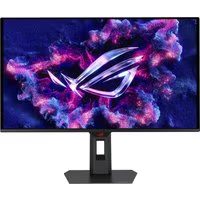
ASUS ROG Strix OLED XG27ACDMS 27-Inch Gaming Monitor
£516.92

Oman Luxury - Wasla Eau de Parfum 100 ml - Unisex Woody Perfume
£215.00
Deals from HDMI Splitters & Switches retailers
From£1738.88ComputersDeal
Buy Now