
Jomaa Slim Rechargeable Bluetooth Keyboard and Mouse Set for Laptop Computer 2.4G USB Wireless Keyboard and Mouse Combo
Prices updated 19 May 2026
No offers available right now
Price data is refreshed daily — but you can search now on Amazon or eBay.
Amazon
Search Amazon.co.uk for the best price and fastest delivery. Yorkshire.com may earn a commission on purchases made through this link.
eBay
Check availability and price on eBay.co.uk. Yorkshire.com may be paid for purchases made through this link, by eBay Partner Network.
Product Description
SPECIFICATIONSBrand Name: JOMAAOrigin: Mainland ChinaInterface: bluetoothInterface: USBCertification: CECertification: RoHSApplicable Object: for laptopSupports Human Engineering: YesPackage: YesMouse Connection: WireLessOptical Resolution: 1600 DPIKeyboard Connection: WireLessWith Multimedia Function Keys: YesType: ERGONOMICType: GamingType: MultimediaType: Russian VersionType: SLIMType: StandardType: WireLessProducts Status: STOCKChoice: yes USB2.4G connection: 1. Flip the power switch to ON to turn on the keyboard 2. Insert the USB into the computer, press and hold the button FN+~, the connection is successful Bluetooth connection: 1. Flip the power switch to ON to turn on the keyboard 2. Turn on your device's Bluetooth to enter the search state (system settings - turn on Bluetooth - search and add) 2. Press and hold the key FN+1 or FN+2 or FN+3 on the keyboard, the light flashes, the device will display "O50 keyboard BT", you can click to connect successfully. Multi-device connection: 1.FN+1: Connect to Bluetooth device 1 2.FN+2: connect to bluetooth device 2 3.FN+3: connect to bluetooth device 3 4.FN+~: connect to USB, 2.4G wireless reception 5. Press FN+1/2/3/~ alone to switch the paired devices 6.FN+1/2/3, press and hold for 3 seconds in combination: flashing light, can start the searched state (connect a new device) Additional instructions: 1. For the first connection, you need to switch the keyboard to the corresponding system 2. Failure to switch may cause the function keys to not be used normally! 3. The keyboard distance is 5-10 meters, and the language environment factors of different devices are related to the distance. troubleshooting: 1. When the keyboard cannot be searched, please try to turn on the bluetooth on the device to search again 2. When the keyboard is turned on and there is no indicator light, try to charge the keyboard. 3. After connecting to other devices, go back to the original device again, you need to delete the old record before you can connect 4. When the pairing fails, you need to delete the failed pairing record, and then perform the second pairing
Popular in Keyboard & Mouse Wrist Rests
Browse all Keyboard & Mouse Wrist Rests
LogiLink ID0027B mouse pad Blue
£12.20

LogiLink ID0027 mouse pad Black
£11.11

Fellowes Vertical Wireless Mouse Breyta Ergonomic Right Handed Vertica
£41.56
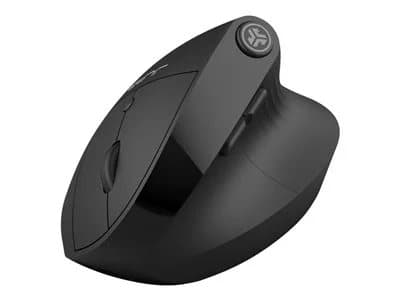
JLab JBUDS ERGONOMIC mouse Home Right-hand RF Wireless + Bluetooth 240
£47.82

Fellowes Breyta XL Mouse Mat Wrist Rest XL Mouse Pad Wrist Support wit
£16.54

LogiLink ID0128 mouse pad Red
£7.44