
StarTech.com 4-Port DisplayPort KVM Switch with Mouse Roaming and Mult
by StarTech.com
GTIN00065030908481
EAN0065030908481
MPNP4AD122M-KVM-SWITCH
Prices updated 19 May 2026
No offers available right now
Price data is refreshed daily — but you can search now on Amazon or eBay.
Amazon
Search Amazon.co.uk for the best price and fastest delivery. Yorkshire.com may earn a commission on purchases made through this link.
eBay
Check availability and price on eBay.co.uk. Yorkshire.com may be paid for purchases made through this link, by eBay Partner Network.
Product Description
Control up to four DisplayPort computers with mouse roaming. quad view. and picture-in-picture supportStreamline complex workflows by managing up to four DisplayPort computers from a single keyboard. mouse. and display. With support for true 4K 60 Hz (4:4:4) resolution. this multiview KVM delivers crisp text and precise visuals across Windows. macOS. and Linux workstations.Multiview MonitoringMaintain full awareness and react faster by viewing multiple systems at once. Flexible display modes including Quad-View. Picture-in-Picture (PiP). and Picture-by-Picture (PbP) let you monitor and compare the four sources.Instant Switching With Continuous VideoMove seamlessly between systems using mouse roaming with zero latency and no screen blackout. Continuous video output keeps every system visible at all times. eliminating delays caused by switching or waiting for auto-scan cycles. reducing disruption in control rooms. industrial environments. and other time-sensitive operations.Switch Your WayAdapt the KVM to your environment with multiple switching methods. Use front-panel buttons. keyboard hotkeys. mouse roaming. mouse side buttons. or serial control via RJ-11 or USB-C to support hands-on use. remote management. or automated workflows.Built-In Dual Display OutputMirror the KVM output to two displays simultaneously using DisplayPort and HDMI. Use a local desktop monitor for hands-on control while displaying the same view on a larger wall-mounted TV for monitoring or team visibility. This dual console output improves visibility. collaboration. and redundancy without requiring external splitters or additional hardware.
Popular in KVM Switches
Browse all KVM Switches
Axis AXIS P3285-LV
£762.56

Lindy 100m Cat.6 HDMI 4K60. Audio. IR and RS-232 HDBaseT Transmitter
£226.75

Axis D2122-VE Rdr lck
£3966.61
ID11 GmbH Ext.Einschalter f.TERRA PC-Mini + Nettop 3030
£112.60
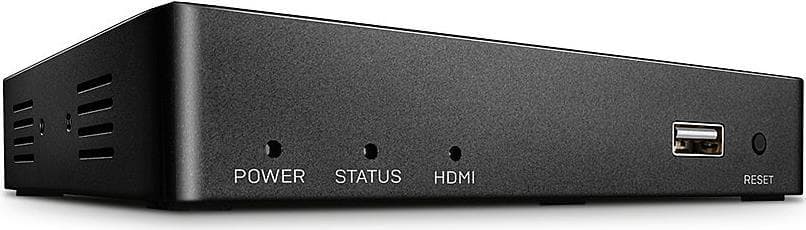
Lindy KVM Over IP Extender - Transmitter
£163.64

Lindy 140m Cat.6 DVI-D. USB. Audio and RS-232 KVM Extender
£382.81