
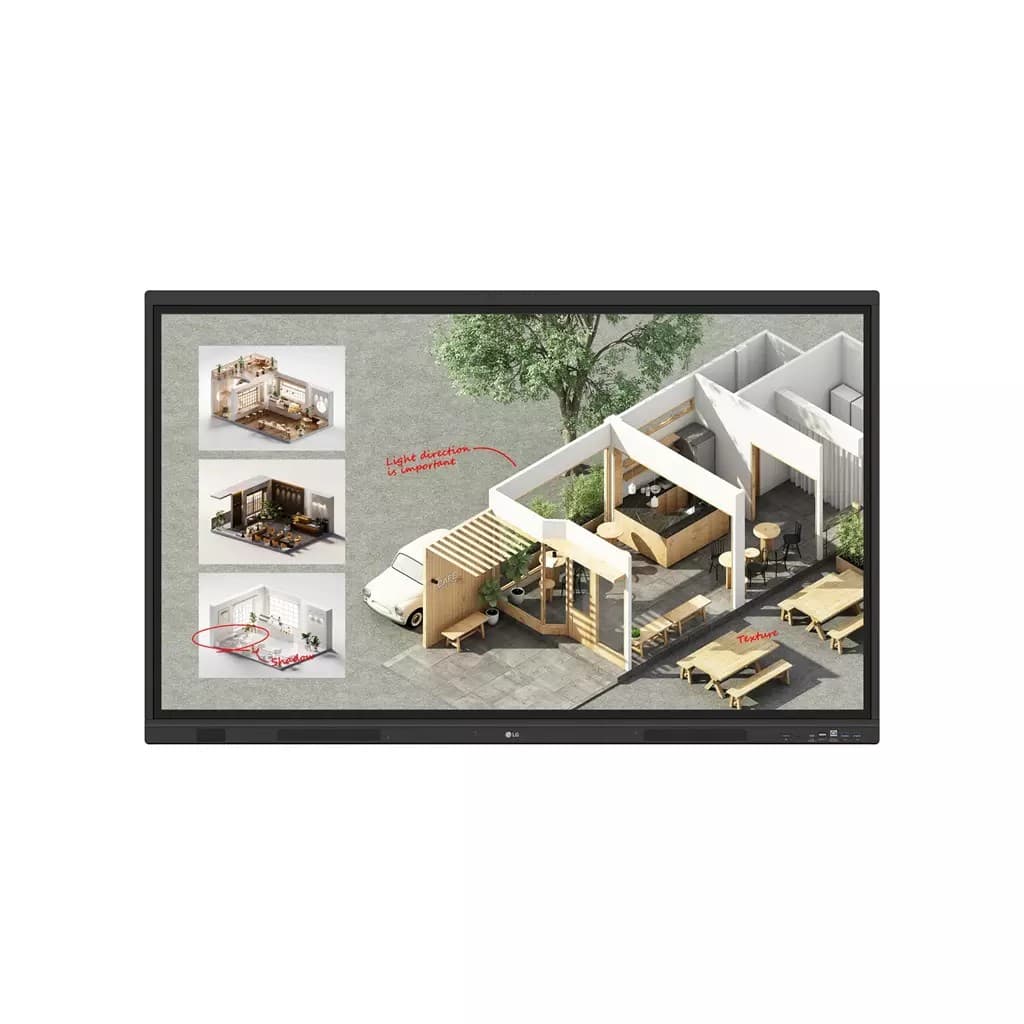


LG 55" TR3DQ Interactive Display
by LG
£982.30from 2 retailers
GTIN08806096421246
EAN8806096421246
MPN55TR3DQ-B.AUEQ
Prices updated 21 May 2026
Compare 2 Retailers
Save up to £19.64 by comparingPrices checked 25d ago

In stockStandard delivery in 3 working days
1 deal available£982.30
Best Price
In stockStandard delivery in 3 working daysNew
Amazon
Check live price on Amazon.co.uk
eBay
Check availability and price on eBay.co.uk. Yorkshire.com may be paid for purchases made through this link, by eBay Partner Network.
Can’t find it elsewhere?
Product Description
55 Black 4K UHD Interactive Display 16/7 3x HDMICreative Whiteboard SolutionLG Create Board offers a lifelike touch experience allowing users to interact with content directly on the board. You can write draw zoom and rotate using just your fingers making it an effective tool for creative projects or presentations. Additionally LG Create Board enables screen and content sharing making it an excellent tool for seamless collaboration even with remote team members.Various Teaching TemplatesLG Create Board offers a variety of educational templates and tools such as a ruler table and sticky note fostering active student participation and facilitating intuitive lessons.Easy to Save / Import / ExportLG Create Board incorporates straightforward import and export features. Resources can be saved and directly imported to and from Google Drive or OneDrive. After meetings you can directly send emails to share materials or scan a QR code to transfer them to your personal device.Tools for Fluid DiscussionA variety of tools such as a calculator clock and sticky note are available to facilitate smooth discussions and ensure seamless idea sharing and communication. Also users can personalize the menu bar with their most frequently used tools thereby improving their work efficiency. Web BrowserWhen you need a reference during a discussion you can access various online information in real time with the simple click of a web browser. The necessary information found on the internet can be easily dragged and dropped into the material you’re creating enhancing the productivity of your meetings.Multi-OS SupportLG Create Board Lab offers multi-OS support allowing users to utilize it not only with LG Create Board but also with other devices. This enables users to maintain a seamless experience on tablets laptops and various other devices even outside the classroom.LG Create Board ShareLG Create Board Share offers a wireless screen sharing feature providing users with a flexible discussion environment. Users can share their screen from their own PC tablet or smartphone simplifying the process of sharing and collaborating on team projects or presentation materials.Wireless Screen ShareLG Create Board Share establishes a seamless and stable meeting room without the need for extra cables or connections. Presenters can now share their screens without the need to inconveniently move around and unplug and plug cables each time the presenter changes. With the capability to share up to 9 screens in real-time it’s possible to display multiple people’s materials simultaneously when needed thereby enhancing the efficiency of collaboration.Simple Connection to LG Create Board ShareUsers can easily utilize the wireless screen sharing feature via LG Create Board Share app and even without the app they can still conveniently access this feature through the website. A quick connection to LG Create Board Share can be established by entering a 6-digit code.Presentation Convenience and Flexibility in Meeting RoomWireless screen sharing empowers presenters to navigate freely within a meeting room unencumbered by cables. This feature enables them to seamlessly control their presentations directly from their own devices. In addition they can conveniently send photos and videos stored on their personal devices enhancing the fluidity and richness of their presentations.Presentation Convenience and Flexibility in ClassroomIn the classroom the lecturer or presenter doesn’t need to conduct the lesson near the LG Create Board but can flexibly conduct the lesson from anywhere in the classroom. This promotes a more flexible classroom environment and can help keep students more focused.Secure ModeLG Create Board Share supports Secure Mode which allows users to grant permissions for sharing. Secure Mode prevents unauthorized users from sharing their screen.LG Connected CareLG Connected Care is a cloud solution for remotely monitoring controlling and managing the status of LG Create Board and LG signage displays. This feature enables IT managers to operate and manage important resources on operating devices without physically visiting sites.DashboardThe LG Connected Care dashboard allows you to view and monitor multiple devices at the same time thereby saving time and boosting efficiency.Remote-ControlThe LG ConnectedCare enables centralized and simple control of digital signage connected to the system. Frequently used functions such as power on/off scheduling and screen brightness adjustment can be applied remotely.BroadcastingMessages and a range of other content can be sent from the main system to individual devices connected to LG ConnectedCare. Company events or announcements can be broadcasted remotely from the cental system at once.Alert MessageIn case of urgent occasions such as a fire or a natural disaster alert messages can be distributed manually across the system which help teachers and students to swiftly perceive the situation a
More products from ComputersDeal
Browse their full range on Yorkshire.com
Popular in Computer Monitors
Browse all Computer Monitors
Acer Nitro VG272UW2 27" Quad HD Gaming Monitor
£203.99

BenQ EW270Q 27" 2K Ultra HD Gaming Monitor
£169.99

ASUS ZenScreen MB166CR 15.6" Full HD Portable Monitor
£122.62

Dell UltraSharp 49" 5K Curved USB-C Hub Monitor
£1083.31

ASUS ZenScreen MB16ACV 15.6" Full HD Portable Monitor
£189.86

Dell Pro Plus P2425E 24.1" WUXGA Computer Monitor
£210.78
Deals from Computer Monitors retailers
From£982.30ComputersDeal
Buy Now