
Yorkshire Team
Published April 2026
|You've got your Railcard, ready to save a chunk of change on UK train travel. But just having it isn't enough; you need to properly wire it into the Trainline app. It seems straightforward, but there's a fundamental misunderstanding of how the system works that trips a lot of people up.
The number one mistake is thinking that adding a Railcard to your 'My Account' section automatically applies the discount. It doesn't.
Fundamentally, the app treats a search with a railcard and one without as two completely different queries sent to the fare-finding system. Adding the card to your account is just step one - it's like putting a tool in your toolbox. You still have to actively take it out and use it for every single job.
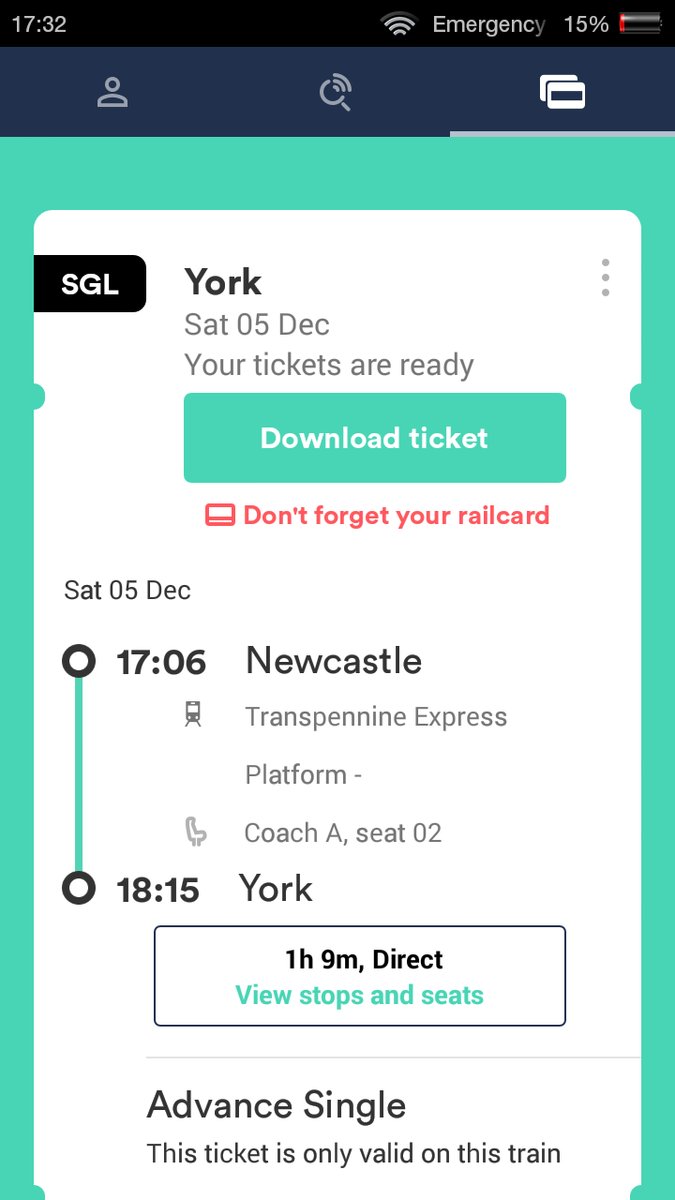
The Two-Step Process Everyone Needs to Know
First, you need to tell the app that you own a railcard. This is the part you do once.
Pop open the app and head to 'My Account'.
Look for the 'Railcards' option. This is your little hub for all things discount-related.
Tap to 'Add a Railcard' and find your specific type from the list. This is critical—a Senior Railcard has different rules than a 16-25 one, so the app needs to know which logic to apply.
You'll enter its details and can give it a nickname. Then you save it.
Great. Now it's stored in your account. But here's the crucial part that actually saves you money...
You have to select the railcard on the main search screen every time you look for tickets. On the page where you enter your departure station, destination, and date, you'll see the passenger count. Tap on that, and you can assign the saved railcard to the relevant passenger(s). If you forget this, you will be shown standard, undiscounted fares, and you can't add the discount later. It's baked into the ticket at the point of sale.
Going Digital: The App as Your Railcard Wallet
The Trainline app has evolved beyond just a booking tool; for many railcards, it can be the place you buy and store them digitally. Rather than calling Trainline, this is, in practice, the most seamless way to operate. When you buy a digital railcard through the app, it's instantly linked and available.
This solves a few classic problems:
No more forgetting your physical card and having to pay a penalty or buy a new ticket. It's on your phone with your ticket.
Instant use. You can literally buy a digital railcard while standing in the station and apply it to a ticket seconds later.
The app will ping you with renewal notifications.
The benefits are obvious, but the underlying process is the same. Even with a digital railcard bought and stored in the app, you still have to remember to actively select it on the search screen for each journey to apply the discount.
A Deeper Look: The 16-25 Railcard Use Case
Let's take the 16-25 Railcard as a technical example. It's one of the most popular, offering a 1/3 discount, but it comes with specific business rules that the app has to enforce. The key thing to understand is the £12 minimum fare restriction on journeys starting between 4:30 am and 10:00 am on weekdays.
What's interesting here is how the app handles this. When you search for a ticket in that time window with a 16-25 Railcard selected, the fare engine automatically calculates the 1/3 discount. If the resulting price is below £12, it adjusts it up to the £12 minimum. It won't show you the cheaper price and then surprise you; the logic is applied server-side before you even see the results. This doesn't apply on weekends or during July and August, so the app's logic has to be date-aware.
This is a perfect illustration of why the railcard must be part of the initial search query. The system needs to know all the constraints - the card type, the time of travel, the date - before it can return a valid, bookable fare. Trying to apply it at checkout would be like trying to change the foundations of a house after the roof is on; the entire calculation is wrong from the start.
For those eligible, the three-year version for £70 is almost always a better value proposition than the £30 one-year card, assuming you'll be traveling even semi-regularly. While the 16-25 is a powerful tool, it's worth cross-referencing other options... for instance, if you always travel with the same person, a Two Together Railcard might actually yield better savings as it doesn't have the morning peak fare restriction.
Frequently Asked Questions (The Stuff People Actually Get Stuck On)
Read the questions below.
Can I just add the discount after I've bought the ticket?
Unfortunately, no. It's a hard system limitation. The discount eligibility is tied to the ticket's fare code at the moment of purchase. Once the transaction is complete, it cannot be altered. You'd have to refund the ticket (if the ticket type allows it) and re-book from scratch, this time applying the railcard correctly.
Why isn't my discount working? It's in my account!
Let's troubleshoot. Ninety-nine percent of the time, it's because the railcard wasn't selected on the search screen for the passenger(s) before hitting 'Find trains'. A less common reason could be that the railcard has expired. Or, you might be trying to book a ticket type that isn't eligible for a railcard discount, like some season tickets or special promotional fares. The app is typically good at handling this, but it's not foolproof. Always double-check the price before you pay.
I have a physical railcard. Do I still need to carry it?
Yes, absolutely. Adding a physical railcard to the Trainline app just tells the system to apply the discount. It does not create a digital version of your card (this is a key distinction). The train inspector will need to see your valid, physical railcard alongside your digital ticket. If you can't produce it, your ticket is technically not valid, and you could face a penalty fare.
What about booking for a group with different railcards?
The app handles this surprisingly well. When you set the number of passengers, you can assign a different railcard - or no railcard - to each person individually. For example, one adult can have a Senior Railcard, another can have a Network Railcard, and a child can be listed as a child. The system then calculates the total price by applying the correct discount to each person's portion of the fare. Just make sure you configure this correctly before you search.
Yorkshire Team
The Yorkshire.com editorial team is made up of local writers, content creators, and tourism specialists who are passionate about showcasing the very best of God’s Own Country. With deep roots in Yorkshire’s communities, culture, food scene, landscapes, and visitor economy, the team works closely with local businesses, venues, and organisations to bring readers the latest news, events, travel inspiration, and insider guides from across the region. From hidden gems to headline festivals, Yorkshire.com is dedicated to celebrating everything that makes Yorkshire such a special place to live, work, and visit.
View all articles →